
FEATURE · YOUR AGENTS

Colleagues with a name, a job and a memory of your business.

An agent is an AI colleague you set up for one job: answering customers, researching prospects, preparing invoices or keeping the weekly report going. It has a name, written instructions you can read and change, and a memory that builds up as you work together. You talk to it in a chat, the way you would message a coworker.

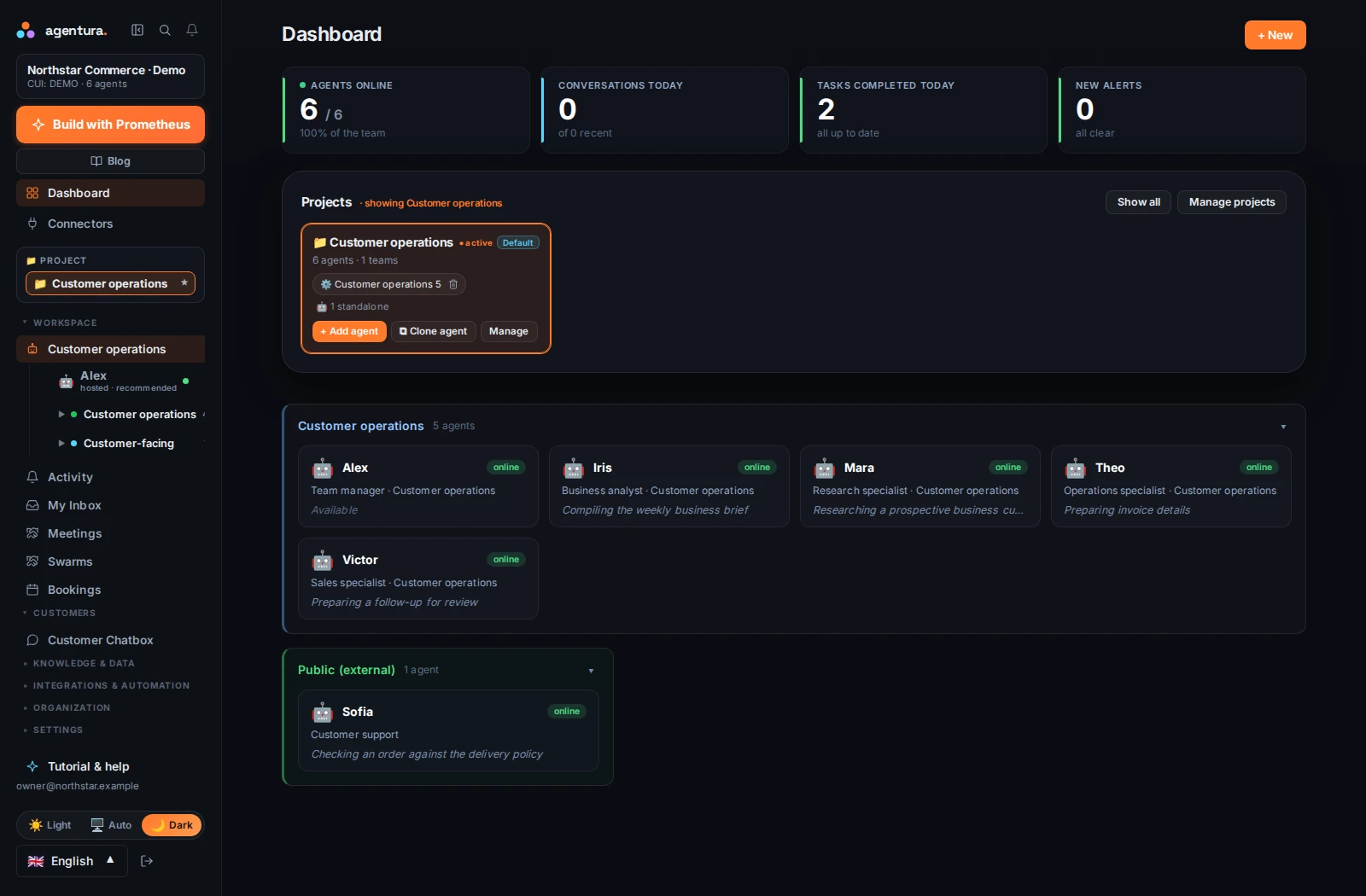
AGENTURA / PRODUCT VIEWYour agents
Agentura dashboard showing a demo company, its project, five internal agents and one customer-facing agent. Enlarge screenshot
Your dashboard: each card is an agent, with its role and what it is doing right now. Actual Agentura interface, example company and data.English interface · Captured September 2026

What it does for you

  • A clear role for every agent

    Give each agent one job, such as support, sales, bookings, accounting help, research or code, and it stays focused on it.

  • It remembers

    Agents keep notes about your business, your customers and your preferences, and use them next time, so you do not start from zero in every conversation.

  • A chat that shows the work

    Ask in plain language, attach files and follow along while the agent works. You can pause it, stop it or send it a new instruction halfway through.

  • Instructions in your own words

    Write down how it should sound, what it must always do and what it must never do. You can read and change these instructions at any time, and choose the language it replies in: Romanian and English, among many others.

  • Ready in minutes

    Pick a name and a role and the rest is filled in for you. Or start from a ready-made template, or let Prometheus read your website and suggest a first agent. You can change everything later.

How it works, step by step

  1. Name the job

    Choose a name and a role, such as “Sofia, customer support”. Say who the agent will talk to: your customers or your own team.

  2. Give it what it needs

    Write a few lines about how it should behave, add the documents it should know, and choose the tools and channels it may use.

  3. Talk to it

    Open its chat and ask for something real: a reply to a customer, a summary of last week's orders. You see each step as it happens.

  4. Correct it, and it learns

    Tell it what to do differently. It saves what it learns in its memory, so the next result is closer to what you want.

  5. Add colleagues when you need them

    Copy an agent that works well, or add specialists for other jobs. A manager can hand work to specialists.

AGENTURA / PRODUCT VIEWAn agent's chat
An agent's chat: the plan it made, the steps it has finished and the tools it used.English interface

FOR A FOUNDER

Start with one agent.

You probably do the selling, the customer replies and the paperwork yourself. Start with one agent for the job you would most like off your plate, read its first results, and adjust its instructions until it sounds like you. Add a second colleague when the first has earned its place.

FOR A LARGER COMPANY

Every agent with a role and a person in control.

Give every agent a defined role, a place in a team and one person who controls it. From the Business plan up you can invite your colleagues and hand each of them their own agents; managers see the agents in their reporting line. You choose the tools and the knowledge each agent gets.

Good to know

  • Agents can be wrong. Read important results, such as a customer reply, a figure or a draft, before they go out, especially in the first weeks.
  • You keep the instructions. You can read, change or replace an agent's instructions at any time, and clear what it holds in mind for a conversation; the chat history stays.
  • Customers and colleagues are kept apart. An agent that talks to your customers has no access to internal commands or files; agents for your own team use the tools and knowledge you give them.
  • Each company is separate. Your agents and their data are kept apart from other companies' agents.
  • Conversations are stored, so you can search and reopen them later.
  • What an agent can do depends on what you give it: its tools, channels and permissions, and your plan.

Start with your next business task.

Bring your company context, connect the right tools and see what your first agent can do.

Request access