
Email, calendar and files
Read and send email, see and create events, find and share documents.
- Gmail
- Any mail server
- Google Calendar
- Google Drive
FEATURE · CONNECTIONS
A connection lets an agent work inside one of your business tools: read an order in your online store, check your calendar, prepare an invoice, look up a customer. You connect each tool once, choose which agents may use it, and then simply ask in plain language.
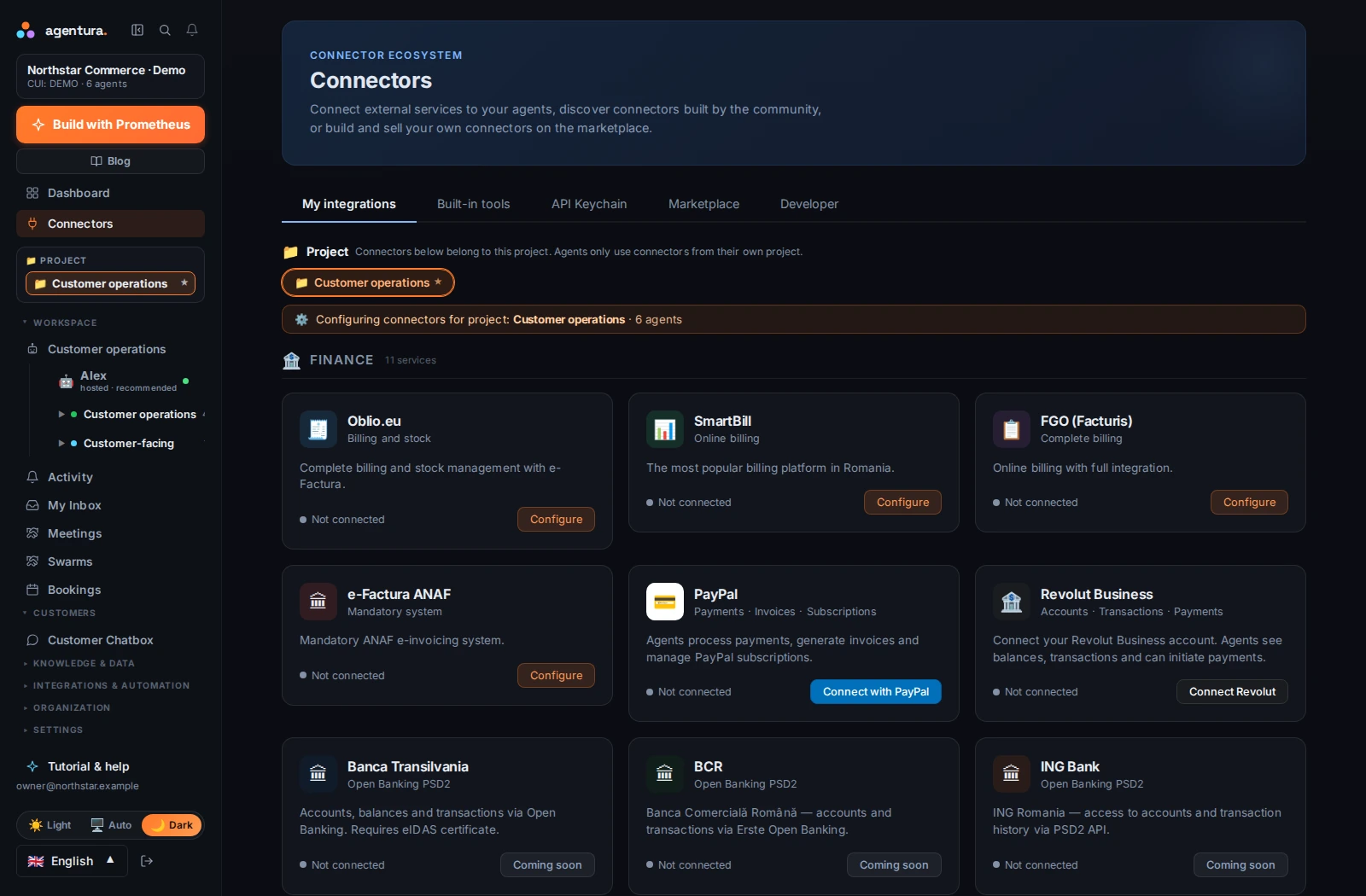 Enlarge screenshot
Before it replies, an agent can look at the actual order, invoice or contact instead of guessing.
Agents can carry out supported actions: send an email, add a calendar event, update a product, prepare an invoice.
Oblio, SmartBill and e-Factura for invoicing, and eMAG Marketplace, WooCommerce and Shopify for selling online.
If a tool is not on the list, a custom connection can add it, and many need no code. Agents can also use other compatible tools.
Passwords and access keys are stored encrypted, and the agent never sees them. The platform uses them on the agent's behalf.
Examples of what is available today, by kind of work. What an agent can do depends on the service and on your account.
Read and send email, see and create events, find and share documents.
Look up contacts, deals and tickets, add notes, and create or update records.
Check orders and stock, update products and prices, and read sales reports.
Look up clients and products, prepare and issue invoices, and follow e-invoices through ANAF's e-Factura.
See accounts, payments and transactions. Some connections are read-only.
Post to your team’s Slack, send Telegram and WhatsApp messages, publish and schedule posts on social networks.
Pull traffic, search and advertising reports and, with some services, make changes.
Read code repositories and issues, manage DNS and cache, run commands on a server you own.
Connect almost any web service, even without a ready-made connector; store its keys safely and let agents call it. Compatible tools built by others work too.
The Connectors page in your account shows every service and its current status.
Connections belong to a project, and agents only use the connections of their own project.
Sign in to the service in its own window and approve access, or paste an access key it gives you. Your details are stored encrypted.
Switch it on for the agents that need it, and leave it off for the others.
For example: “Which of yesterday's orders have not shipped yet?” The chat shows which connection the agent used.
For actions with consequences, such as issuing an invoice, agents are set up to show you the details and ask before they go ahead.
Screenshot to come
Will show an agent's chat: it looks up an order in the store, prepares an invoice and asks for confirmation before issuing it.
FOR A FOUNDER
You do not need an integration project. Connect the shop, the mailbox and the invoicing tool you already pay for, then ask for something real: a reply that uses the actual order, an invoice prepared from the right details.
FOR A LARGER COMPANY
Keep connections where they belong: each project has its own, agents only use the ones you switch on for them, and you can connect several accounts of the same service, such as two shops or two mailboxes, under different names. Credentials are stored encrypted, and conversations on your website chat use no connection unless you allow it.
Bring your company context, connect the right tools and see what your first agent can do.